
 Welcome to EnviroDIY, a community for do-it-yourself environmental science and monitoring. EnviroDIY is part of
 Home › Forums › Mayfly Data Logger › No address detected for any sensor
- This topic has 8 replies, 3 voices, and was last updated 2026-02-20 at 11:19 AM by
okamran.

-
AuthorPosts
-
-
2026-01-23 at 12:59 PM #19494
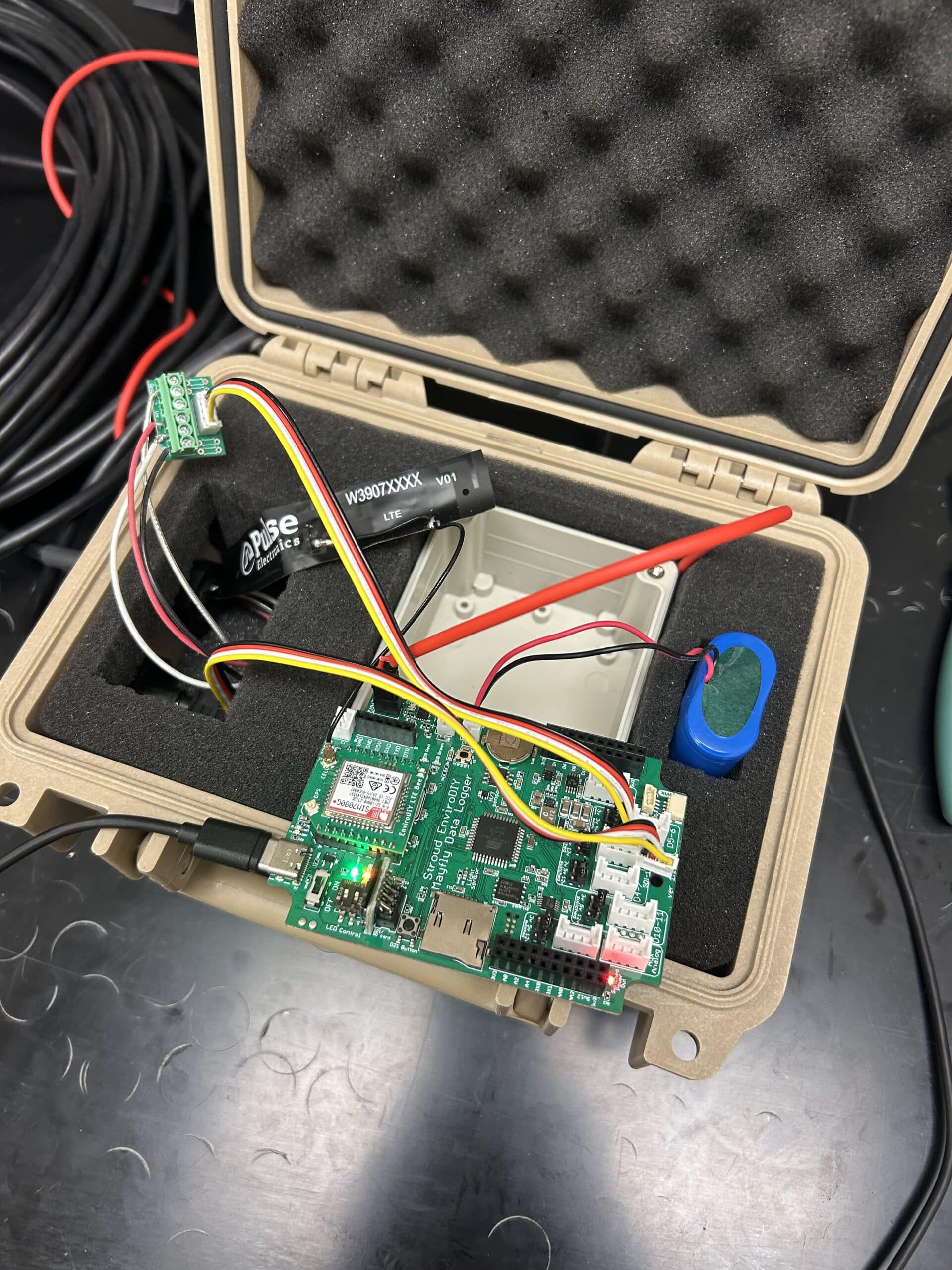
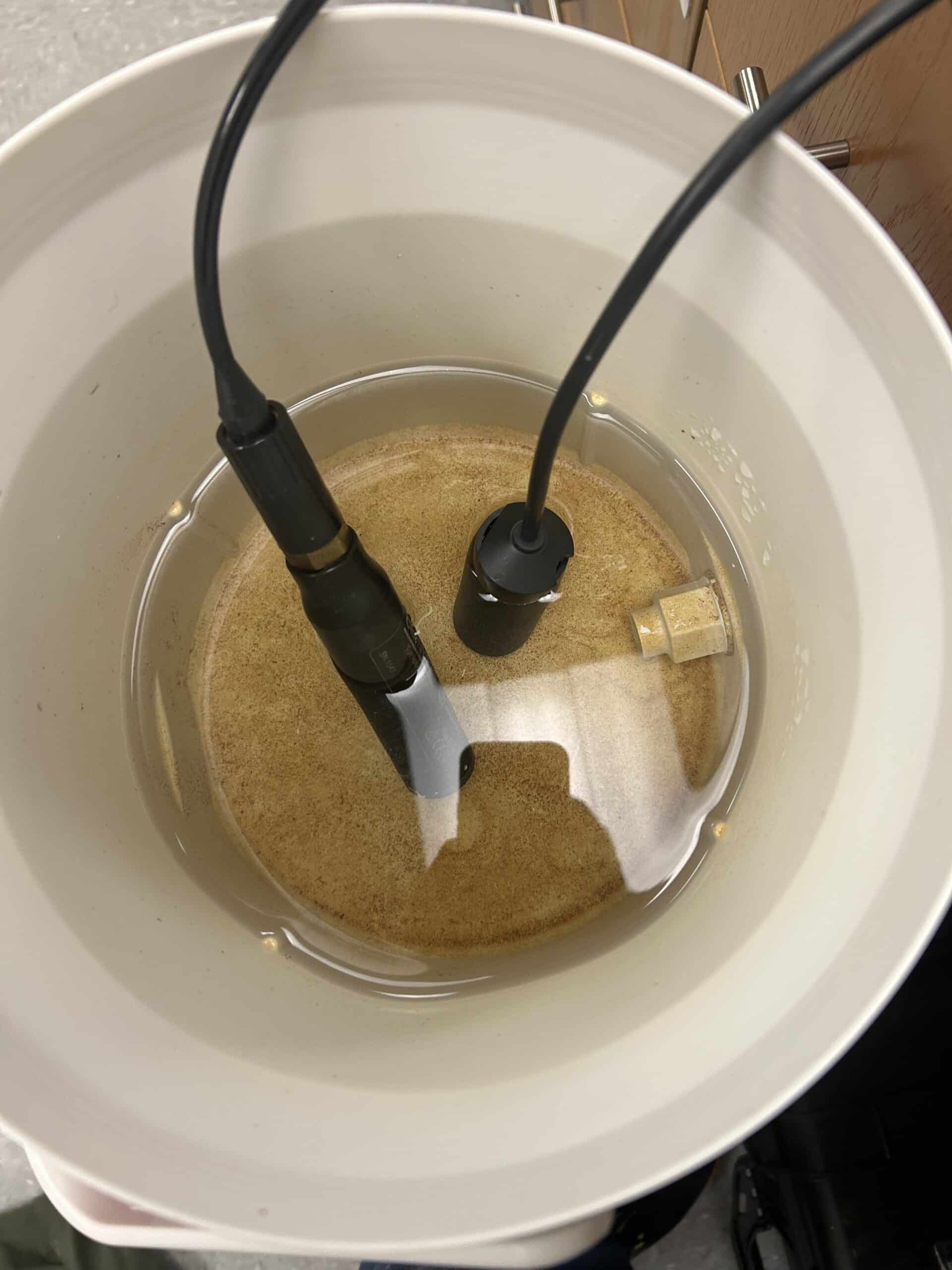
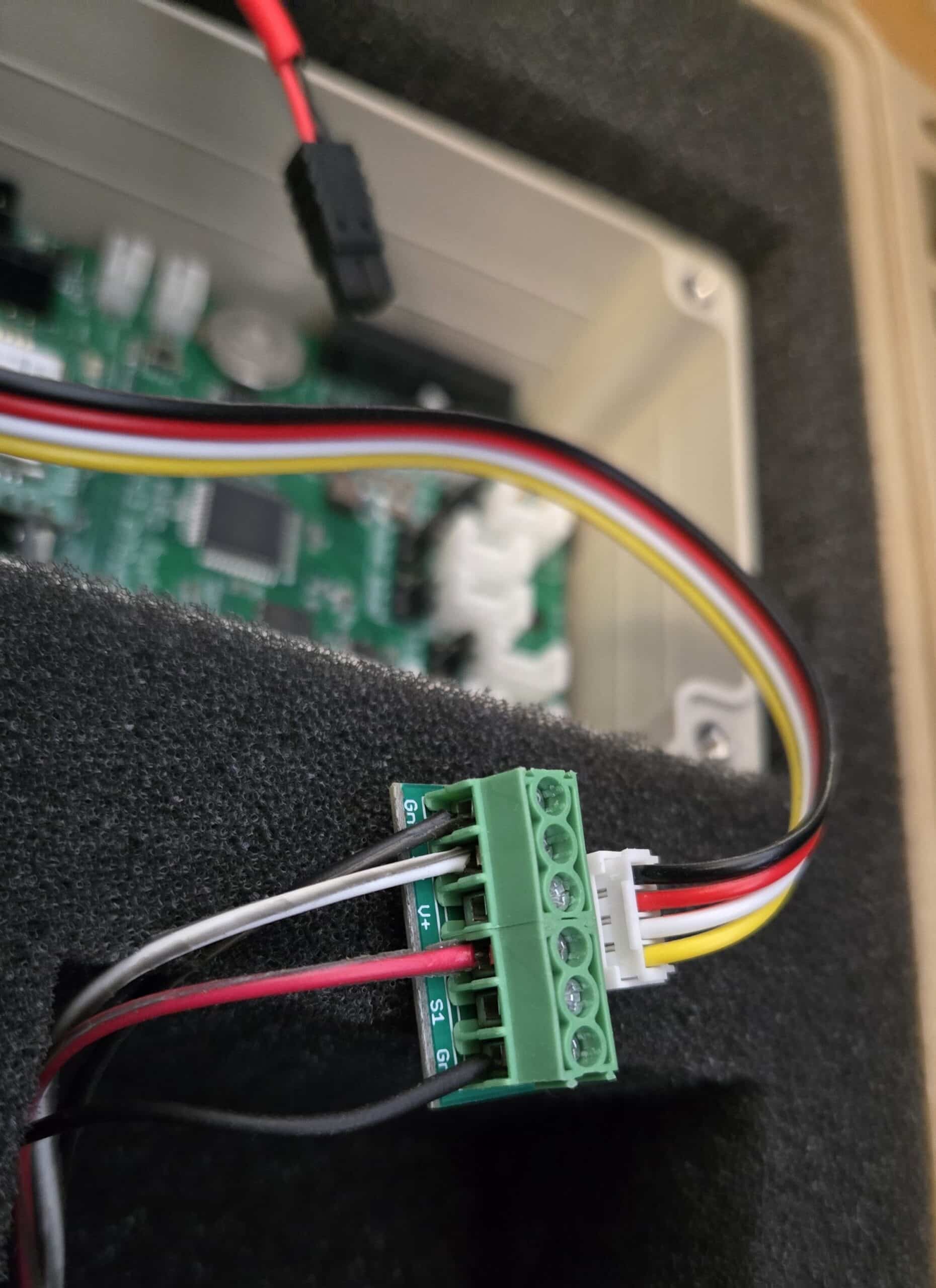
I currently have my Mayfly board set up with a Hydros 21 water depth sensor and a ClarityView 10 turbidity sensor. I’ve been trying to use the Arduino data logging sketches to record data and upload it to the monitoring component of our watershed database.
During testing, I’m able to see valid data from the ClarityView sensor, but the Hydros 21 is consistently reporting -9999 for all values. Additionally, when I run the address change sketch, neither the ClarityView nor the Hydros 21 sensors appear.
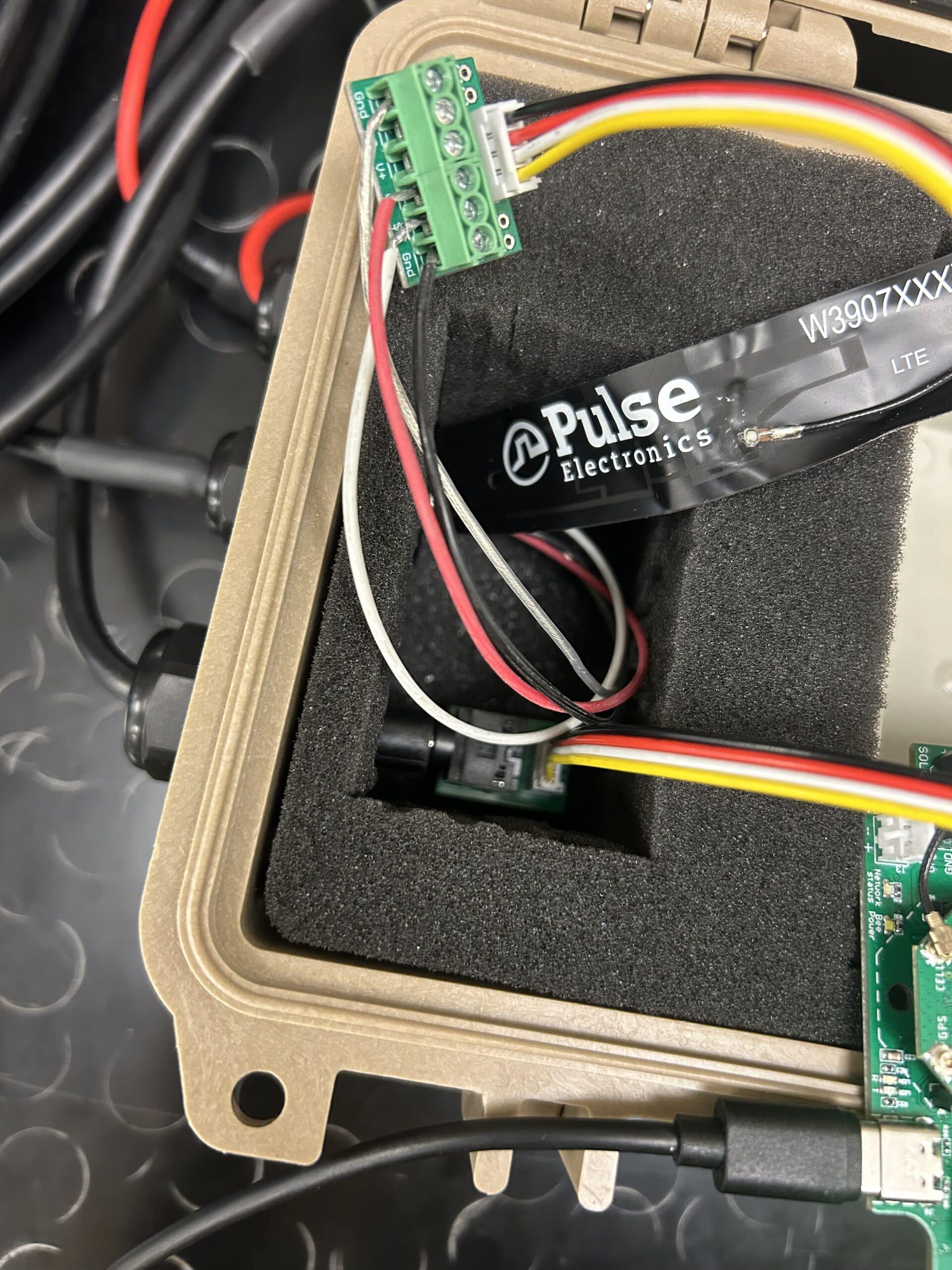
I’m not sure why this is happening, as I’m fairly confident that all wiring and connections are correct. Any guidance or troubleshooting suggestions would be greatly appreciated. I’ve linked photos of my setup and the sketches I’m using below -
2026-01-23 at 1:07 PM #19499
Oh also forgot to mention that I’m fairly certain I’ve switched the meter hydros 21 factory address away from 0 in the past.
Attachments:
-
2026-02-02 at 9:26 AM #19505
Did you get your turbidity sensor issue resolved? We are having an issue with out ClariVue turbidity sensor not being recognized by the Mayfly board. Running b_address_change.ino doesn’t find any sensors. Our Hydros 21 continues to to work. We have our 6-pin multipurpose screw terminal wired as shown in Shannon’s pic. We have the jumper set to 12v. Any suggestions? We have run out of things to try.
-
2026-02-02 at 4:03 PM #19507
Are the 3 solder jumpers on the back of your 6-pin screw terminal board soldered properly? We noticed a few of them came from the factory with no solder on them, so I soldered them in the “Default” position before shipping them out, but there’s a chance yours might have been missed. You can also try closing solder jumper SJ25 on the back of the Mayfly board to change the 12v boost converter to 9v output instead. We found a few ClariVue sensors that apparently needed a little more power during the initial startup than the 12v boost converter can provide, and by setting it down to 9v that’ll send a little more current to the sensor and seems to give us better reliability.
-
-
2026-01-27 at 12:34 PM #19502
The b_address_change sketch you attached looks like an older version, it doesn’t match the latest example you can find on our Github: https://github.com/EnviroDIY/Arduino-SDI-12
So make sure you’re using the latest Arduino-SDI-12 library files (download that directory from Github and replace whatever is currently in that folder on your PC. And also make sure you’re using the latest ModularSensors libraries. If you’re using older Hydros21 files, there was a timing issue with the newer sensors that caused them not to work with the older code. And remember you can only set the SDI-12 channel for one sensor at a time, so make sure the other sensor is disconnected from the Mayfly when you’re attempting to read or change the SDI-12 channel of any sensor.
Also, we usually use digital pin D7 in our sketches as the data line for SDI-12 sensors. When you use the 6-pin multipurpose screw terminal as shown in your photo, the data line of the ClariVue turbidity sensor (white) should be connected to the S2 terminal so that it connects to the D7 pin on the Mayfly board (if you use on of the Mayfly’s two Grove jacks labeled SDI12). The S1 terminal of the screw terminal board will connect to the D4 pin of the Mayfly. Or you can change the pin selection solder jumper on the back of the screw terminal board from Default to S1+S2=D2 (there’s photos on the screw terminal shop page showing the different positions). And you must be sure to put the voltage selection jumper next to the Grove jack with the turbidity sensor to the 12v position. The Hydros21 sensor usually works fine at 3v, but sometimes we’ve found that they are more reliable at 5v or 12v, depending on what other sensors are connected to the SDI12 bus.
Attachments:
-
2026-01-30 at 11:43 AM #19504
Thank you! After replacing my current libraries folder with a more recent version from the github, I got the Hydros 21 to show up, but not the Clarivue even after moving the white pin to S1. Also, now when trying to upload DRWI_SIM7080LTE, I’m getting compilation errors like “EnviroDIY_ModularSensors/src/LoggerModem.h:46:10: fatal error: TinyGsmEnums.h: No such file or directory
#include <TinyGsmEnums.h>”I suppose this may be an issue with my libraries? I am not sure how to verify what library version I am currently using, or which I should use.
-
2026-02-02 at 10:37 AM #19506
kwolfe:
So far I haven’t been able to get the turbidity sensor to show up in b_address_change, but a little while ago I did run the DRWI_SIM7080LTE sketch using the clarivue (before I muddled up my libraries), and the clarivue was recording and sending data over even though, at that time, it ALSO never showed up on b_address_change. So perhaps it is worth just using it as is?
Shannon: Do you have a recommended library link I should download, and any recommendations on what ModularSensors and SDI-12 library links to use?
-
2026-02-02 at 4:11 PM #19508
If you’re having trouble getting all the libraries to work happily together, you could try downloading all of the ModularSensors dependency libraries from the release files on github:https://github.com/EnviroDIY/ModularSensors/releases
You can scroll down that page and find the zip file at the bottom of each release summary (under the “Assets” heading”). So if you try the latest release and have issues, you could back up and try an earlier release.
We haven’t deployed any ClariVue10 sensors lately, it looks like the last time I did, it was using ModularSensors version 0.34.0 and we didn’t have any issues at that time with the code. We haven’t bought any of those sensors in the past few years to test the code with them, so it’s possible there have been changes to the sensor design or firmware that would require some updates to our Arduino library.
-
-
2026-02-20 at 11:19 AM #19560
Hey! Sorry for the late response but I tried running a few of the different ModularSensor versions, and it seemed that v0.36.0 works for DRWI_7080LTE!
I initially started with v0.37.0 and v0.34.0, but those had issues with the libraries working together, naming issues, etc.
v0.35.0 was able to compile but recorded -9999 values for both the ClariVUE and the Hydros21
v0.36.0 happened to be the lucky winner! Hopefully I’m not celebrating too early, but I think this has made everything work well!
Just wanted to leave this comment in case someone had a similar issue in the future 🙂
-
-
AuthorPosts


- You must be logged in to reply to this topic.