 Welcome to EnviroDIY, a community for do-it-yourself environmental science and monitoring. EnviroDIY is part of
 Home › Forums › Mayfly Data Logger › No address detected for any sensor › Reply To: No address detected for any sensor
The b_address_change sketch you attached looks like an older version, it doesn’t match the latest example you can find on our Github: https://github.com/EnviroDIY/Arduino-SDI-12
So make sure you’re using the latest Arduino-SDI-12 library files (download that directory from Github and replace whatever is currently in that folder on your PC. And also make sure you’re using the latest ModularSensors libraries. If you’re using older Hydros21 files, there was a timing issue with the newer sensors that caused them not to work with the older code. And remember you can only set the SDI-12 channel for one sensor at a time, so make sure the other sensor is disconnected from the Mayfly when you’re attempting to read or change the SDI-12 channel of any sensor.
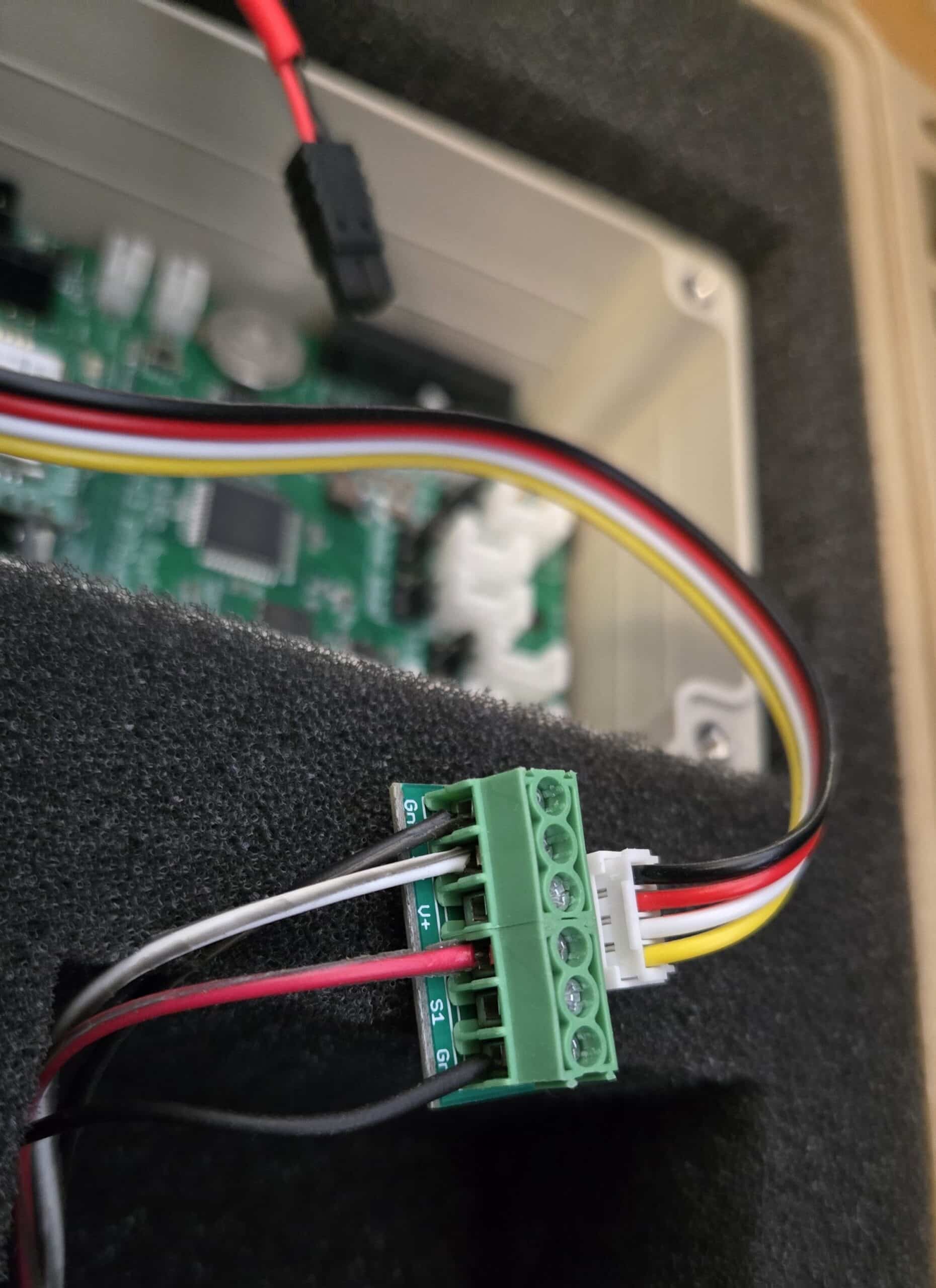
Also, we usually use digital pin D7 in our sketches as the data line for SDI-12 sensors. When you use the 6-pin multipurpose screw terminal as shown in your photo, the data line of the ClariVue turbidity sensor (white) should be connected to the S2 terminal so that it connects to the D7 pin on the Mayfly board (if you use on of the Mayfly’s two Grove jacks labeled SDI12). The S1 terminal of the screw terminal board will connect to the D4 pin of the Mayfly. Or you can change the pin selection solder jumper on the back of the screw terminal board from Default to S1+S2=D2 (there’s photos on the screw terminal shop page showing the different positions). And you must be sure to put the voltage selection jumper next to the Grove jack with the turbidity sensor to the 12v position. The Hydros21 sensor usually works fine at 3v, but sometimes we’ve found that they are more reliable at 5v or 12v, depending on what other sensors are connected to the SDI12 bus.