 Welcome to EnviroDIY, a community for do-it-yourself environmental science and monitoring. EnviroDIY is part of
 Home › Forums › Mayfly Data Logger › Could not wake modem for clock sync › Reply To: Could not wake modem for clock sync

Hi Sara and Shannon,
I am also getting the “could not wake modem for clock sync” error. I do not know if it’s connected but when the logger records to the SD card (after giving the “could not wake modem for clock sync” error) it records at random time intervals and only takes a few data points before stopping.
Here is the debugging information I got after changing lines 27 and 28 in LoggerModem.h and lines 47 and 48 in SIMComSIM7080.h:
Now running Narbrook.ino on Logger Narbrook Park
Using ModularSensors Library version 0.36.0
TinyGSM Library version 0.12.0
Logger timezone is set to UTC -5
RTC timezone is set to UTC
Current RTC time is: 2025-09-26T17:53:48-05:00
Current localized logger time is: 2025-09-26T12:53:48-05:00
All variable UUID’s appear to be correctly formed.
fbc4f0bf-4f16-4110-8da1-a1f547709911 -> Hydros21cond
53a2618d-7ec7-427d-84fb-7bc9dc0795c7 -> Hydros21depth
11679e79-20c2-4a89-ace6-6193aec2bd80 -> Hydros21temp
a6eecc3b-c427-4d17-b9a1-e81d82ef0c35 -> Battery
7d9e2dfc-69aa-4d62-806e-ac94d576fe13 -> BoardTemp
8701fa74-2285-4c90-90c4-4fe84fa3d0db -> signalPercent
This logger has a variable array with 6 variables, of which 5 come from 3 sensors and 1 are calculated.
Sampling feature UUID is: 872ca3da-3b97-460b-abc9-e5b18b073627
Data will be published to [ 0 ] monitormywatershed.org/api/data-stream/
Logger portion of setup finished.
Setting up sensors…
Waking modem and setting Cellular Carrier Options…
Initializing pin 19 for modem status with on level expected to be HIGH <–LoggerModem
Initializing pin 23 for modem sleep with starting value HIGH <–LoggerModem
Initializing pin 20 for modem reset with starting value HIGH <–LoggerModem
Initializing pin 9 for modem status LED with starting value 0 <–LoggerModem
Power to unspecified modem is not controlled by this library. <–LoggerModem
Doing a hard reset on the modem by setting pin 20 LOW for 5 ms <–LoggerModem
Setting up the modem … <–LoggerModem
Modem was already awake and should be ready for setup. <–LoggerModem
Running modem’s extra setup function … <–LoggerModem
… setup failed! It’s a Digi XBee Unknown <–LoggerModem
Digi XBee Unknown warms up in 100 ms, indicates status in 15 ms, is responsive to AT commands in less than 15000 ms, and takes up to 15000 ms to close connections and shut down. <–LoggerModem
Leaving modem on after setup … <–LoggerModem
Wait while applying changes…
Attempting to connect to the internet and synchronize RTC with NIST
This may take up to two minutes!
Doing a hard reset on the modem by setting pin 20 LOW for 5 ms <–LoggerModem
Doing a hard reset on the modem by setting pin 20 LOW for 5 ms <–LoggerModem
Setting up the modem … <–LoggerModem
Modem was already awake and should be ready for setup. <–LoggerModem
Running modem’s extra setup function … <–LoggerModem
… setup failed! It’s a Digi XBee Unknown <–LoggerModem
Digi XBee Unknown warms up in 100 ms, indicates status in 15 ms, is responsive to AT commands in less than 15000 ms, and takes up to 15000 ms to close connections and shut down. <–LoggerModem
Leaving modem on after setup … <–LoggerModem
Could not wake modem for clock sync.
Turning Digi XBee Unknown off. <–LoggerModem
Putting Digi XBee Unknown to sleep. <–LoggerModem
Running given sleep function for Digi XBee Unknown <–LoggerModem
Power to Digi XBee Unknown is not controlled by this library – not waiting for shut-down to complete. <–LoggerModem
Setting up file on SD card
Data will be saved as Narbrook Park_2025-09-26.csv
Putting processor to sleep
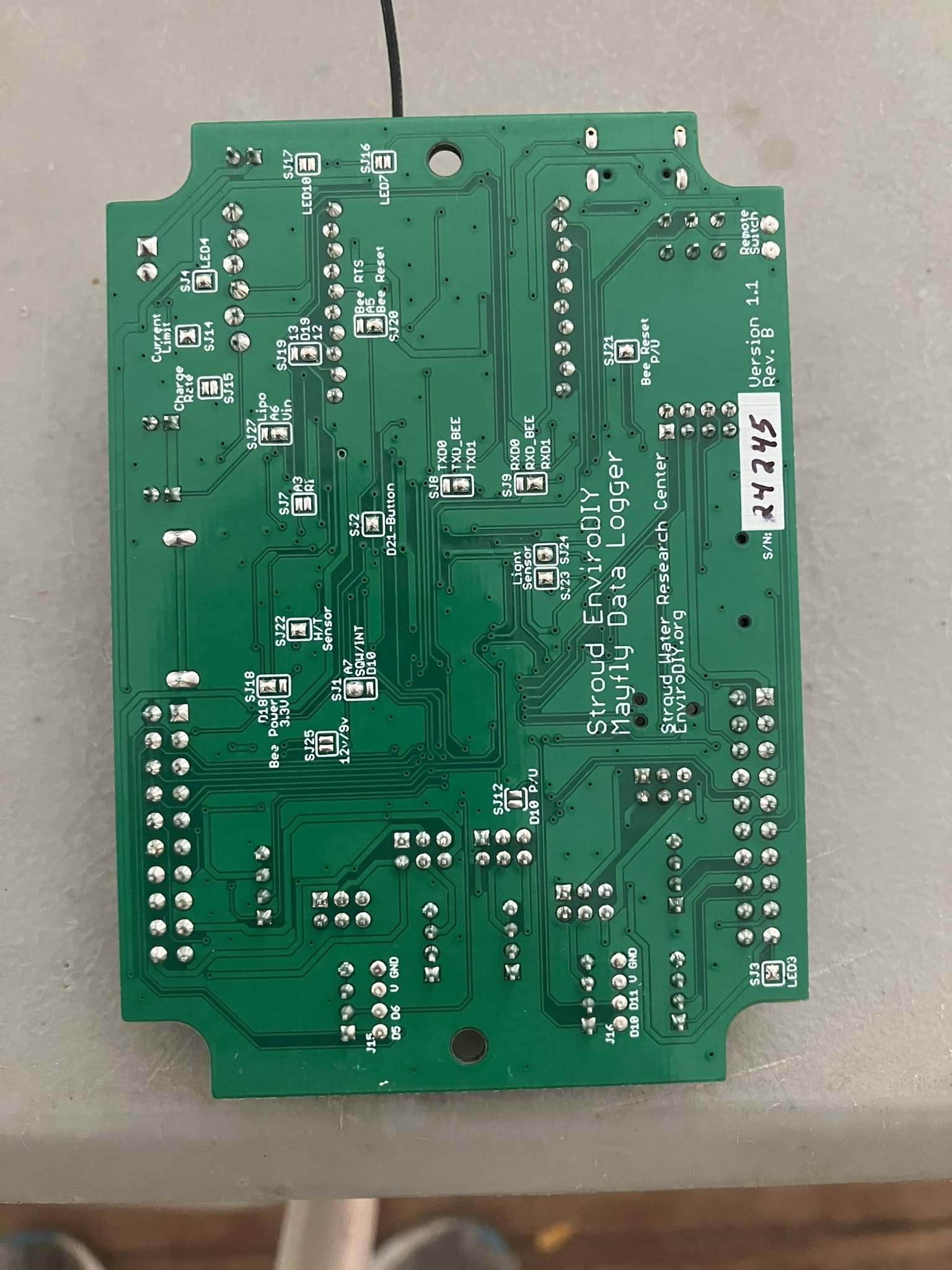
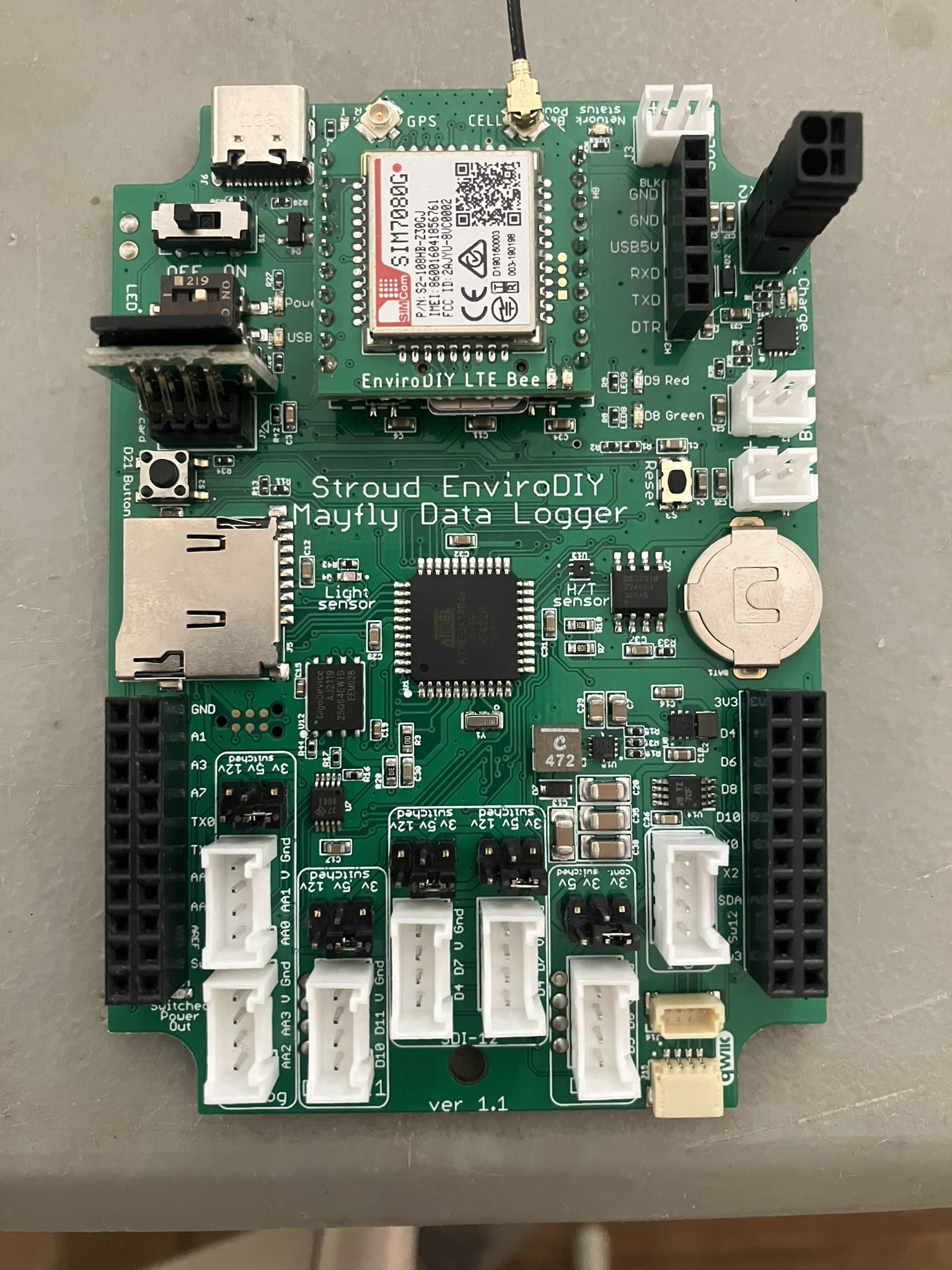
The .ino file, photos of the front of the logger with and without the LTE bee, and the back of the logger are attached.
Let me know if any other information would be helpful.
Thank you!
Tom