
- This topic has 1 reply, 2 voices, and was last updated 2016-08-03 at 4:34 PM by
 .
.
Viewing 1 reply thread

Viewing 1 reply thread
- You must be logged in to reply to this topic.
 Welcome to EnviroDIY, a community for do-it-yourself environmental science and monitoring. EnviroDIY is part of WikiWatershed, an initiative of Stroud Water Research Center designed to help people advance knowledge and stewardship of fresh water.
 Home › Forums › Mayfly Data Logger › MayFly Mac Connection Problem
Shannon Hicks.Hi Everyone,
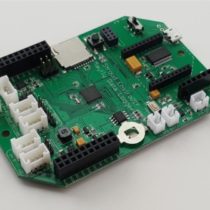
I am attempting to connect my Mayfly via USB->MicroUSB connection and it seems no matter what I do the board will not be recognized. I have tried other USB cables and still had no luck. Also tried various combinations of toggling the power and reset switches, but still with no luck. I switched the board out and tried a couple of Arduino boards and they were all recognized right away. Has anyone else had any issues with this?
Thanks!
Do you have board version 0.3 or o.4? There may be a very small number of the v0.3 boards that have a bad connection in the power switch where it provides power to the FTDI chip, so the Mayfly will not be seen by the computer as having a valid serial port. Does the Mayfly at least blink the red and green LEDs when it’s plugged in to either a USB cable or a lipo battery? Do you have an FTDI cable or FTDI adapter that you can use to program the Mayfly using the FTDI header? That will bypass the FTDI chip on the board and allow you to program it. I programmed each v0.3 Mayfly on Amazon via the FTDI header so it should work. I programmed all of the v0.4 boards via the microUSB jack to verify tha each one was working properly.

We use cookies to improve your experience on our site. By using our site, you consent to cookies.
Websites store cookies to enhance functionality and personalize your experience. You can manage your preferences, but blocking some cookies may impact site performance and services
Essential cookies enable basic functions and are necessary for the proper function of the website.
CleanTalk offers effective spam protection and website security solutions to enhance user experience.
Service URL: cleantalk.org (opens in a new window)
CloudFlare provides web performance and security solutions, enhancing site speed and protecting against threats.
Service URL: developers.cloudflare.com (opens in a new window)
These cookies are needed for adding comments on this website.
These cookies are used for managing login functionality on this website.
WooCommerce is a customizable eCommerce platform for building online stores using WordPress.
Statistics cookies collect information anonymously. This information helps us understand how visitors use our website.
Google Analytics is a powerful tool that tracks and analyzes website traffic for informed marketing decisions.
Service URL: policies.google.com (opens in a new window)
SourceBuster is used by WooCommerce for order attribution based on user source.
You can find more information in our Cookie Policy and Privacy Policy.