
- This topic has 2 replies, 3 voices, and was last updated 2022-12-08 at 10:59 AM by
 .
.
Viewing 2 reply threads


Viewing 2 reply threads
- You must be logged in to reply to this topic.
 Welcome to EnviroDIY, a community for do-it-yourself environmental science and monitoring. EnviroDIY is part of WikiWatershed, an initiative of Stroud Water Research Center designed to help people advance knowledge and stewardship of fresh water.
 Home › Forums › Mayfly Data Logger › Mayfly Board v0.5b – Communication with MWW
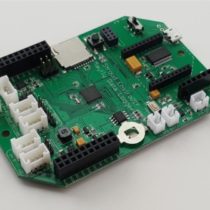
Shannon Hicks.I seem to be having some problems with a Mayfly ver 0.5b data logger. It has not recorded data since October 29th, nor has it connected to the cellular network since that day. I believe it is the cellular card on the board, but wanted to inquire about functionality because I cannot find documentation on the meaning of the LED indicators. When the board starts up, I am given the red LED light near the reset switch, as well as the two blue lights on the cellular card. The orange RSSI light does not light up. After about 3 minutes, the board goes to sleep and the green LED flashes every few minutes.
At the programmed 15 minutes, the board wakes up and the red LED by the reset switch lights up as well as the blue lights on the cellular card, but no RSSI light. Are there error messages in the LED lights that I should be aware of that could indicate the problem? Could the cellular card be malfunctioning? Has anyone else experienced this?
Also, when I connect the board to a laptop via USB, I am given multiple COM ports to choose from. COM 3, COM 4, COM 8, COM 9. Is this normal?
Mayer, if the CR1220 battery powering the internal clock is low on voltage this could be causing a time mismatch and no connection during the cellular connection sequence.
It sounds like you’ve got one of the older Digi LTE cell boards? We retired most of ours in 2020 because they failed after a year or two of operation, which is why we developed our own LTEbee module based on the SIM7080. What does the data on you microSD card say the signal strength and battery voltage is since the station went offline?

We use cookies to improve your experience on our site. By using our site, you consent to cookies.
Websites store cookies to enhance functionality and personalize your experience. You can manage your preferences, but blocking some cookies may impact site performance and services
Essential cookies enable basic functions and are necessary for the proper function of the website.
CleanTalk offers effective spam protection and website security solutions to enhance user experience.
Service URL: cleantalk.org (opens in a new window)
CloudFlare provides web performance and security solutions, enhancing site speed and protecting against threats.
Service URL: developers.cloudflare.com (opens in a new window)
These cookies are needed for adding comments on this website.
These cookies are used for managing login functionality on this website.
WooCommerce is a customizable eCommerce platform for building online stores using WordPress.
Statistics cookies collect information anonymously. This information helps us understand how visitors use our website.
Google Analytics is a powerful tool that tracks and analyzes website traffic for informed marketing decisions.
Service URL: policies.google.com (opens in a new window)
SourceBuster is used by WooCommerce for order attribution based on user source.
You can find more information in our Cookie Policy and Privacy Policy.